Search & Categories
Locate reports quickly by searching titles or browsing implementation-specific groups and categories.
Access configurable reports through the Crimson desktop applications or the Crimson WebAPI browser-based interface, using the same report scripts and business logic.
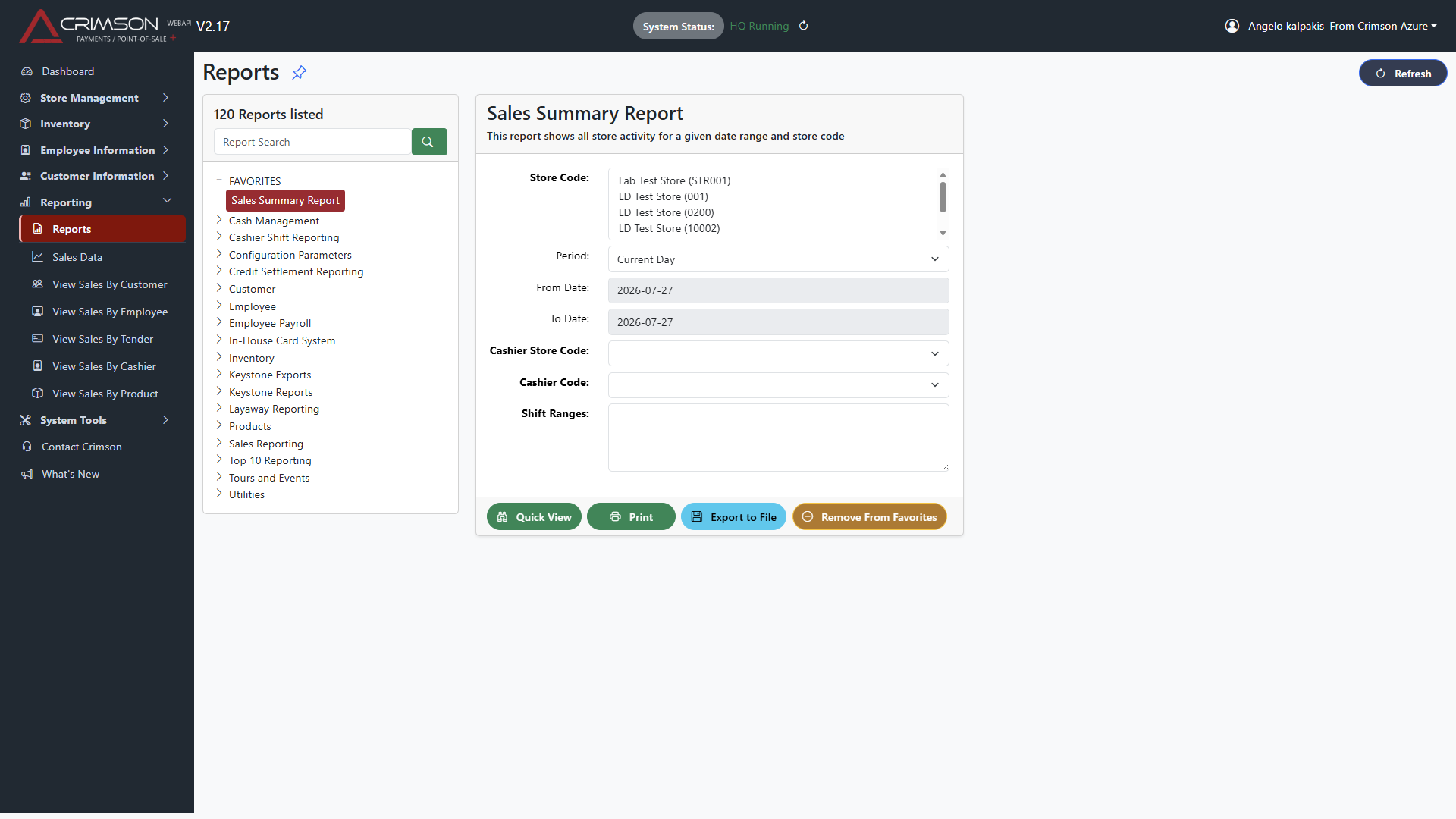
Crimson Reporting supports the Crimson Retail Suite and Crimson Payments desktop applications, while Crimson WebAPI makes the same report scripts available through a browser-based implementation.
Reports are organized by category and can be searched, marked as favourites and limited using report-specific criteria.
Locate reports quickly by searching titles or browsing implementation-specific groups and categories.
Group frequently used reports into a dedicated favourites section for faster access.
Filter by stores, date ranges, predefined periods, codes, ranges, free-form values and true-or-false selections.
Preview report data in a browser-friendly layout before printing or exporting.
Produce formatted output when a report template is available, including portrait or landscape presentation and defined column formatting.
Export report results to comma-delimited or Microsoft Excel formats, with optional column headers.
Crimson Reporting is designed to support rapid report creation. A report may be as simple as a report-definition script, or it can include a formatted template and multiple user-selectable parameters.
This gives Crimson and qualified customer teams a practical way to extend reporting without rebuilding the reporting interface.
Define report names, categories, descriptions, SQL queries and criteria in reusable report scripts.
Configure dropdown lists, date ranges, dates, strings, value ranges, multiple ranges and Boolean options.
Add formatted templates for printed output while keeping Quick View and export workflows available.
Use the same report scripts in desktop reporting and through Crimson WebAPI.
Crimson includes a broad library of standard reports, with customer-specific reporting added as needed.
Sales summaries, transaction details, products, departments, vendors, customers, employees, cashiers, tenders and time-based analysis.
Inventory status, counts, movements, adjustments, serial-number history, purchase orders, receiving and transfer activity.
Credit authorization, settlement, deposits, remittance, tender history, suspended transactions and payment reconciliation.
Shifts, payroll, security, employee activity, store status, audit information, configuration and exception reporting.
Crimson Reporting supports report-email configuration through an SMTP service. Reports can be assigned recipients and subject lines, then generated and distributed using the reporting process.
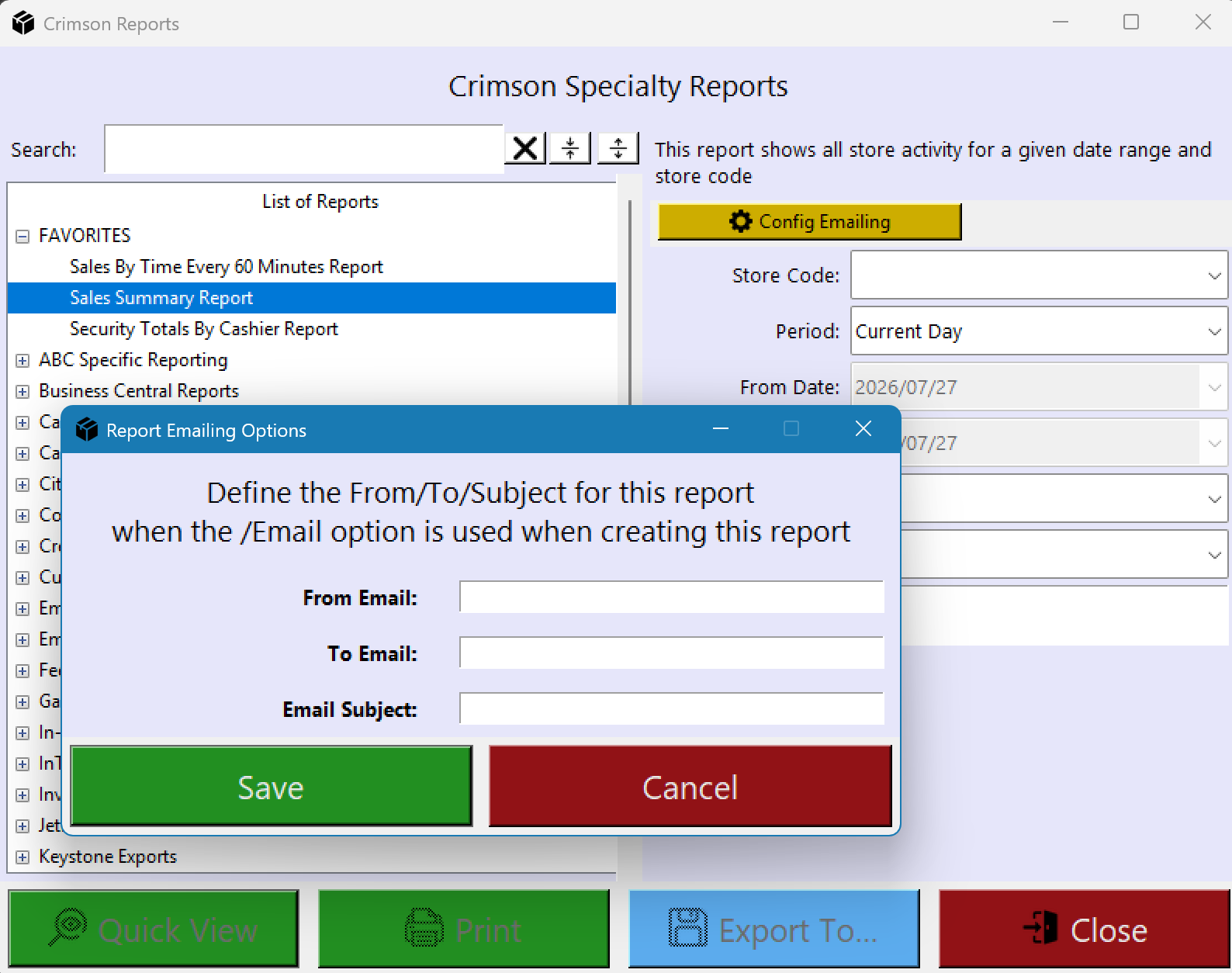
Users can launch reporting directly from supported Crimson Manager dialogs, from the specialty reporting menu or from the Windows environment.
Existing operational context can be carried into reporting so users can move from managing data to viewing, printing or exporting it.
Crimson WebAPI extends reporting to a browser-based experience while preserving the same report scripts and report-selection logic.
This supports broader access for authorized users without requiring the full desktop application at every workstation.
Discuss standard reports, custom report scripts, desktop access and browser-based reporting with Crimson.